
Secure Your Contacts
Contact data is the most quietly sensitive thing on a government handset. Secure Your Contacts puts the directory on the device without putting it beyond your control.

Protect, govern and control contact data on iOS & Android.
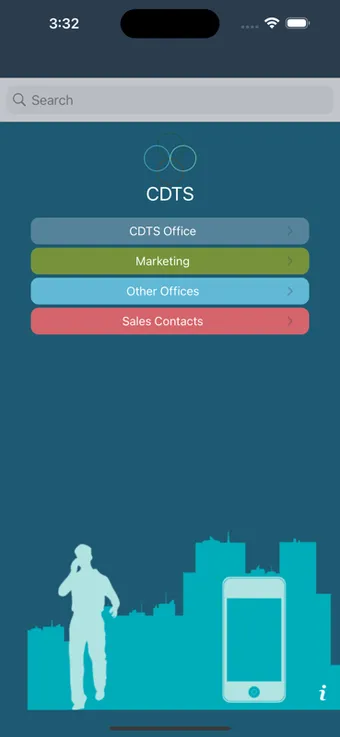
A secure, standalone solution for managing Android and iOS contacts in real time — featuring a hardened virtual appliance, secure containerisation, independent directory contacts, advanced contact search and robust export controls.
The native contacts app was designed for a personal phone. It synchronises freely, it is readable by any app the user grants permission to, and once a contact is on the device there is no practical way to take it back.
Secure Your Contacts replaces that with a governed container. Directory contacts are searchable and usable for calling and messaging, but they remain under organisational policy — including the ability to restrict export, copy and share, and to remove access when a person leaves.
- iOS
- Android
- Ivanti Neurons for MDM
- Microsoft Intune
What it does
Containment & DLP
A governed contact container that restricts copy, export and share.
Label-driven handling
Handling aligned to Official / Protected classifications and cohort policies.
Independent directory
Directory contacts held separately from the device address book, with real-time search.
Hardened virtual appliance
Deployed as a hardened appliance inside your environment rather than a shared cloud service.
Operational visibility
SIEM export and dashboards for audit and KPIs.
MDM-delivered
Distributed and configured through your existing MDM, with settings applied at enrolment.
Business benefits
- Directory contacts on the handset without exposing the whole directory
- Export, copy and share controlled by policy rather than by trust
- Access removed cleanly when a person or a device leaves
- Audit evidence of who looked up what, and when
Who it is built for
- Agencies with large directories and mobile-first workforces
- Organisations with cohort-based access rules
- Environments where contact data itself carries a classification
Common questions about Secure Your Contacts
Does it replace the native contacts app?
It sits alongside it. Directory contacts live in the governed container rather than the device address book, so they remain searchable and usable for calling and messaging without becoming part of the user’s personal data.
Can users still see caller ID for directory contacts?
Yes. Resolving an incoming number against the directory is one of the main reasons organisations deploy it — the alternative is users saving numbers manually, which is exactly the uncontrolled copy you are trying to avoid.
Where does the appliance run?
Inside your environment. It is deployed as a hardened virtual appliance rather than a shared multi-tenant cloud service, which is what makes it viable where directory data itself carries a classification.
What happens when someone leaves?
Access is removed with the enrolment. Because the contacts were never written into the device address book, there is no residual copy to chase.
Our other products


Request a walkthrough of Secure Your Contacts
We will show you the product against your environment, your policy and your classification model — not a generic demo tenancy.